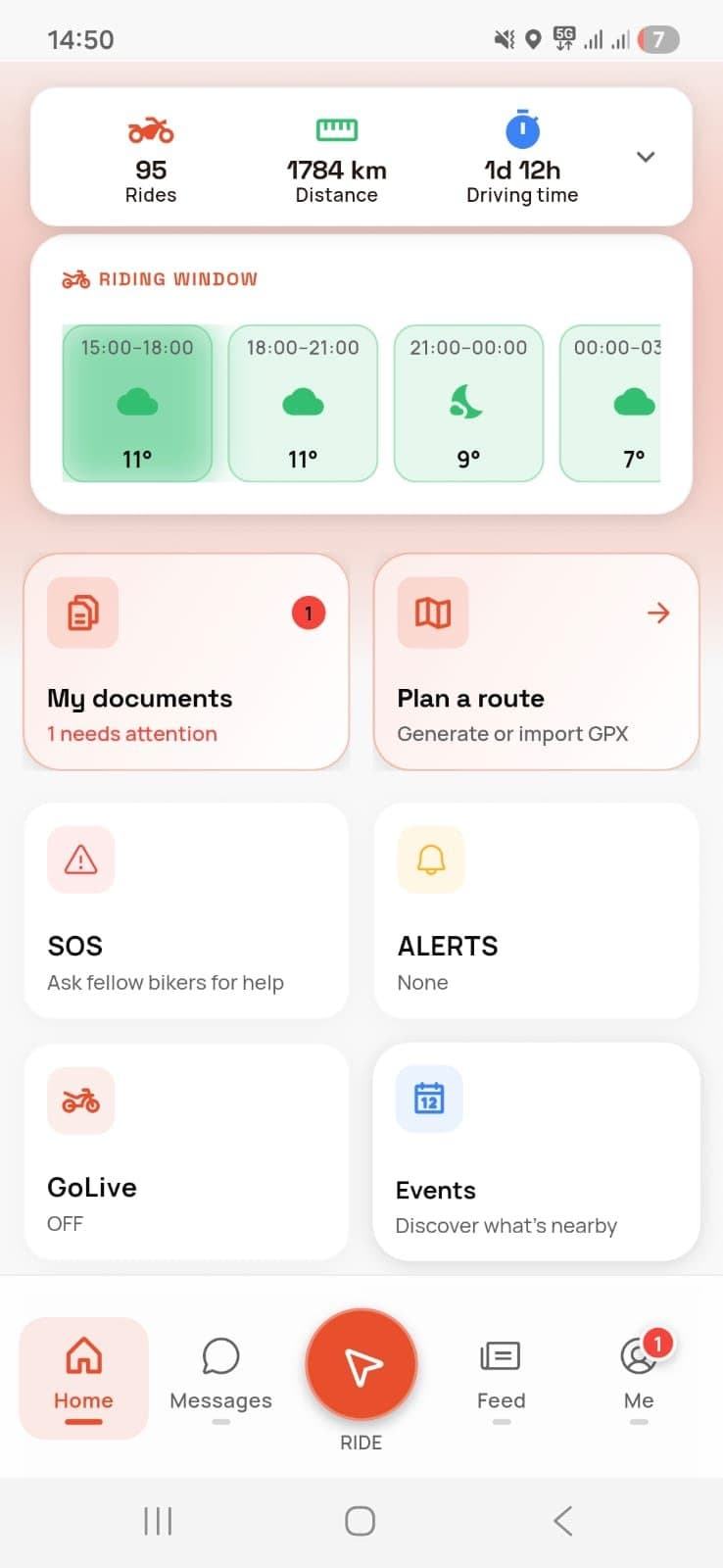
From download to your first ride.
Riders4Life is free on iPhone and Android. Here's what you do in the app, step by step: from your account to the ride you show your friends.


Install the app and create your account.
Download Riders4Life for free from the App Store or Google Play. The first time you open it, you create your account whichever way suits you.
- Sign up with your email address and a password.
- Or continue straight away with Google, with Apple on iPhone or with Facebook on Android.
- The app is free, on iPhone and on Android.
Create your account with
- Email address
- Apple
Download free


Set up your profile.
Your profile is your calling card in the app: who you are, what you ride and where you've been.
- Add a photo, so others recognise you at the meeting point.
- Put your bike in the garage: make, model, year, engine, mileage, modifications and photos.
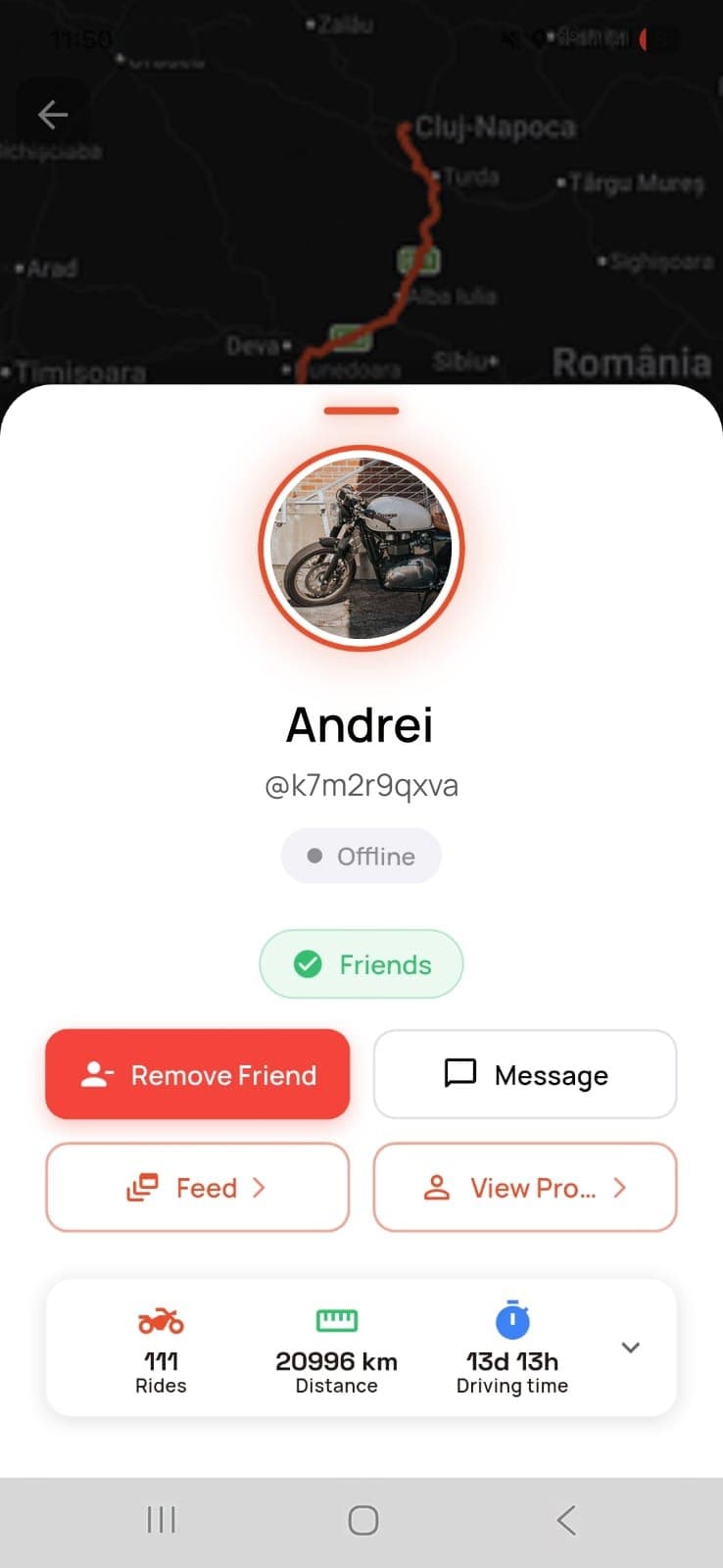
- Add the friends you ride with. Friend requests show up in your notifications.
Choose how you ride.
There are three ways to head out. Use all of them, depending on the day.
 On a whim
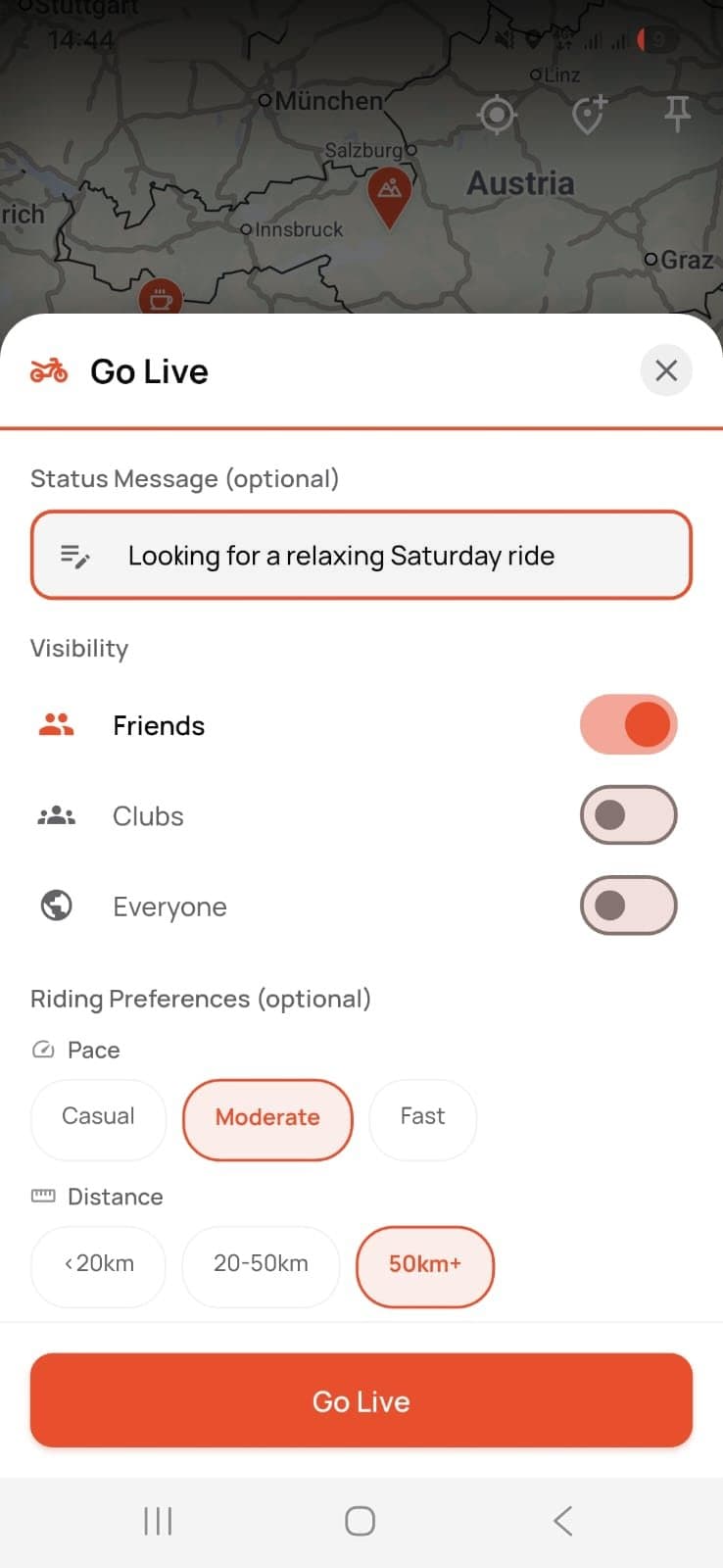
GoLive
Tap the GoLive button and you show up on the map as up for a ride. You choose who sees you: your friends, your clubs or every rider within 50 km.
About GoLive →- See who else wants to ride and message them right in the app.
- Switch it off whenever you like. If you forget, it switches itself off after 8 hours.
 Planned
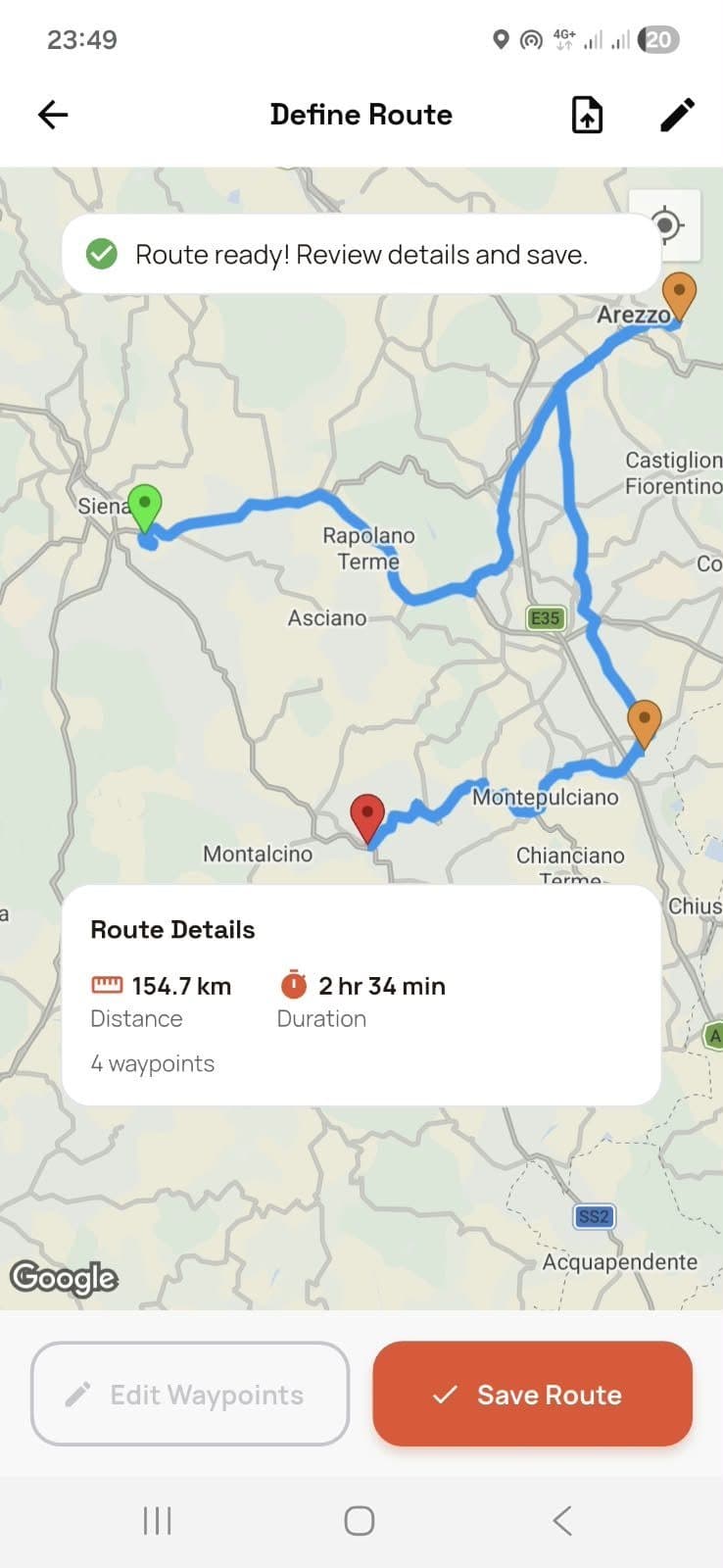
Group ride
Set the meeting point, the time and the route, drawn on the map or imported from a GPX file.
About group rides →- Send the ride as a link, in any chat. It opens even without the app.
- Riders answer “going” or “maybe”, so you know who to wait for.
 With others
Clubs and events
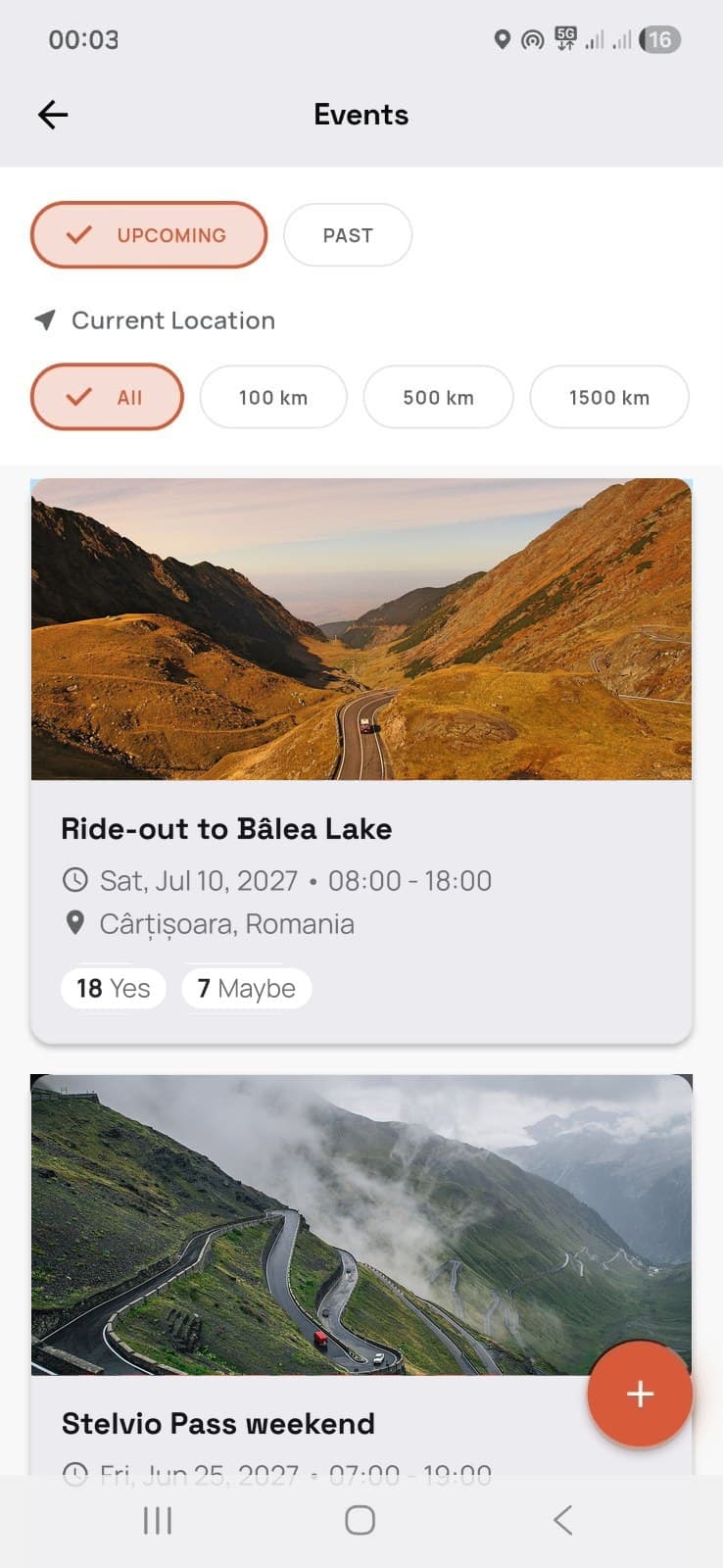
See rallies, meet-ups and open rides within 100, 500 or 1,500 km. Join a club or start your own.
About events →- Answer Yes or Maybe with one tap.
- Organising an event? Add it with the + button.
On the road: tap RECORD and go.
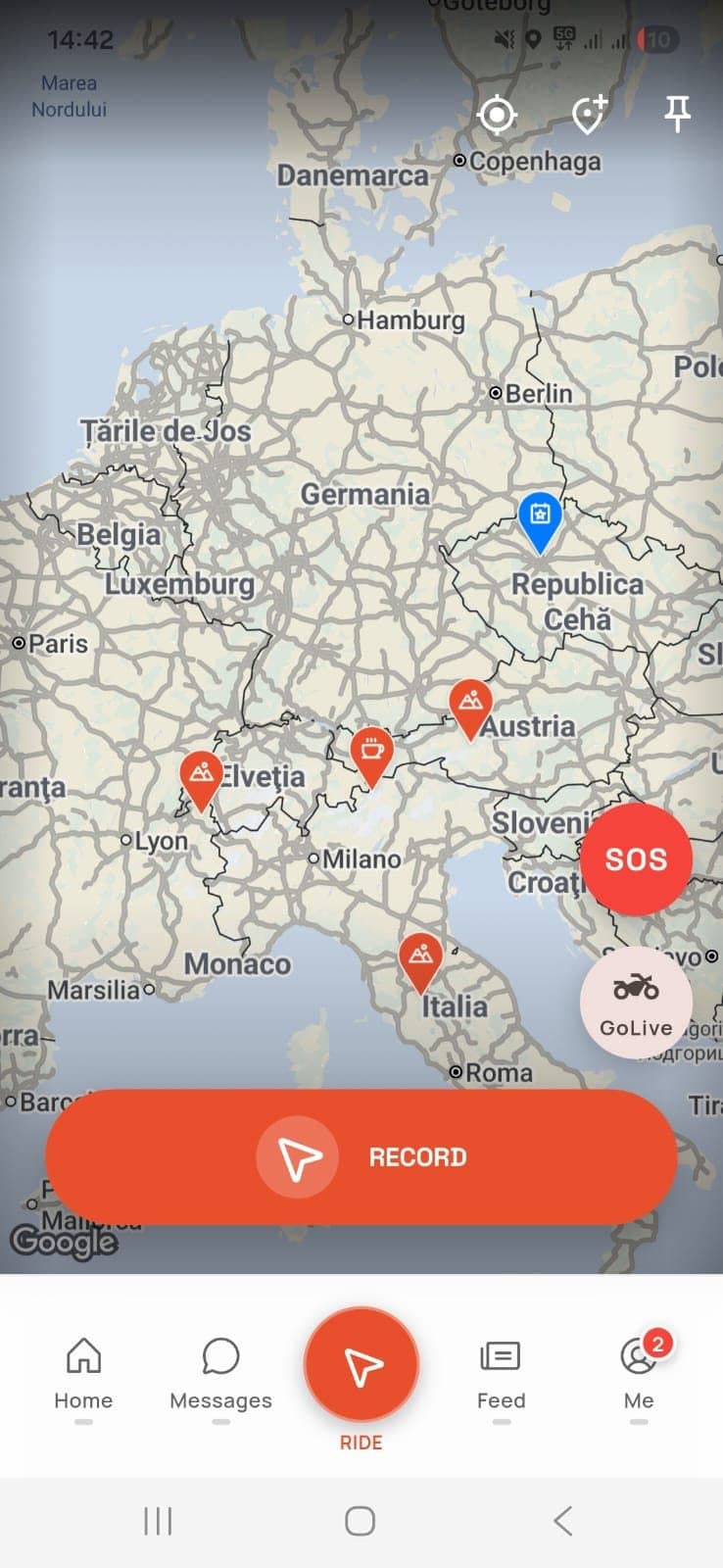
The ride is recorded only once you tap the RECORD button on the map. The same screen has GoLive and the SOS.
- It records the route, distance, time, speed and climb.
- On a group ride you all see each other live on the same map, so nobody gets left behind.
- If you need help, the SOS sends an alert with your location to your friends, your clubs or, with “Everyone”, riders within 50 km too.
After the ride: keep it and show it.
Once you stop recording, you'll find the ride in “My Rides”, with its map and its numbers.
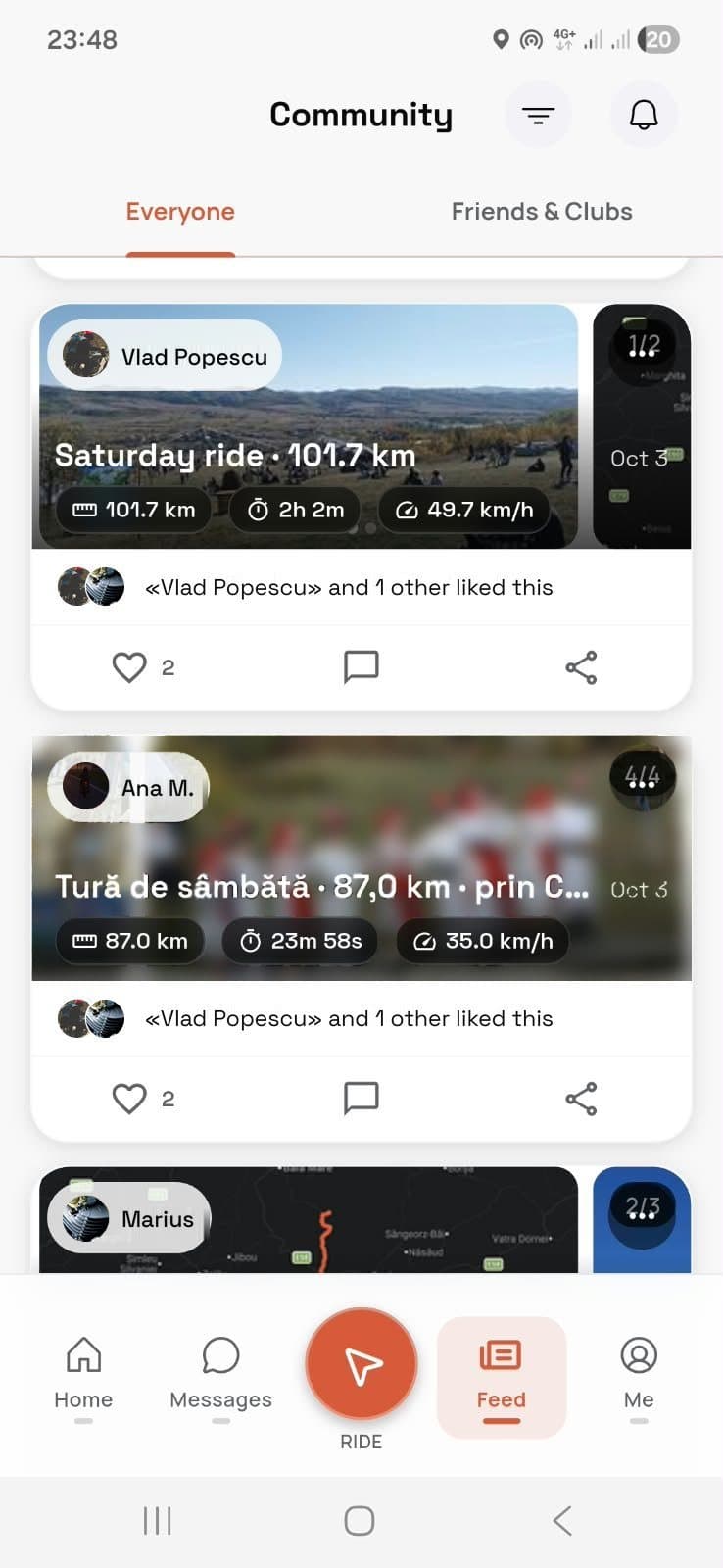
- Distance, duration, average and top speed, and total climb.
- Add photos and send it as a link: it opens in a browser, without the app.
- Friends see it in their feed, like it and comment on it.
Getting-started questions.
Can't find what you're looking for? Write to us at contact@riders4.life.
How much does Riders4Life cost?
Nothing. The app is free, on iPhone and on Android.
How do I create an account?
Download the app from the App Store or Google Play and sign up with your email address. You can also continue straight away with Google, with Apple on iPhone or with Facebook on Android.
Do I need friends in the app to use it?
No. With GoLive you can be visible to every rider nearby, not just your friends; you sign up for events on your own; and you can send a group ride as a link to anyone, even if they don't have the app.
Who can see my location?
On GoLive you appear only after you switch it on, only to the people you chose, and you disappear automatically after 8 hours unless you switch it off sooner. On a group ride the other riders see you on the map. When you send an SOS, your location goes to the people who get the alert.
Does the app record my rides by itself?
No. A ride is recorded only after you tap the RECORD button on the map.
Your next ride starts with one tap.
Download Riders4Life for free and see who else is out riding near you.