
If something happens on the road, you're not alone.
One button sends your location and what happened to the people you choose: your friends, your clubs and, if you want, riders within 50 km. The nearest rider can set off towards you straight away.


If someone is hurt, call 112 (or your local emergency number) first. The Riders4Life SOS alerts the riders around you, but it doesn't replace the emergency services.
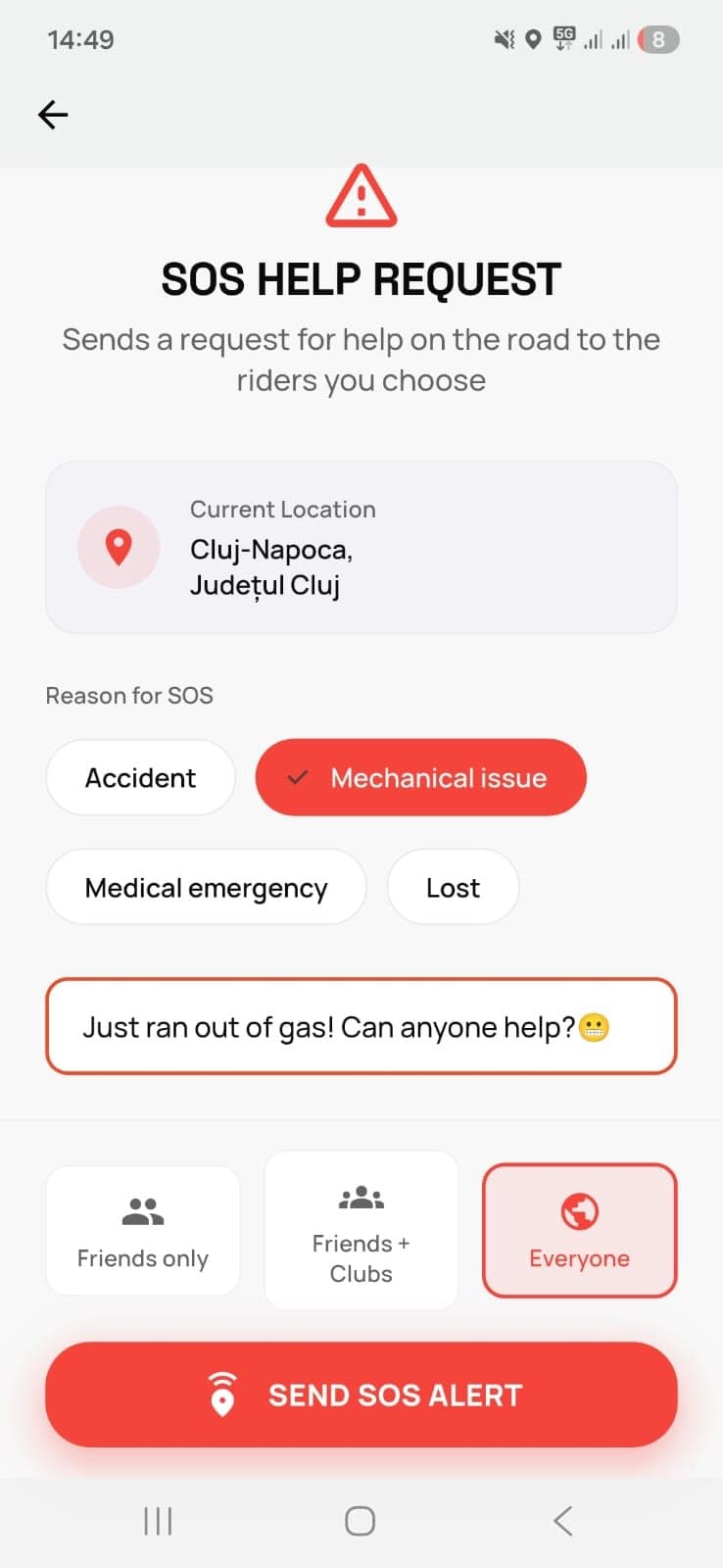
Three steps, a few seconds.
These are the steps in the app, so you know what to expect before you ever need it.
- 1
Tap SOS
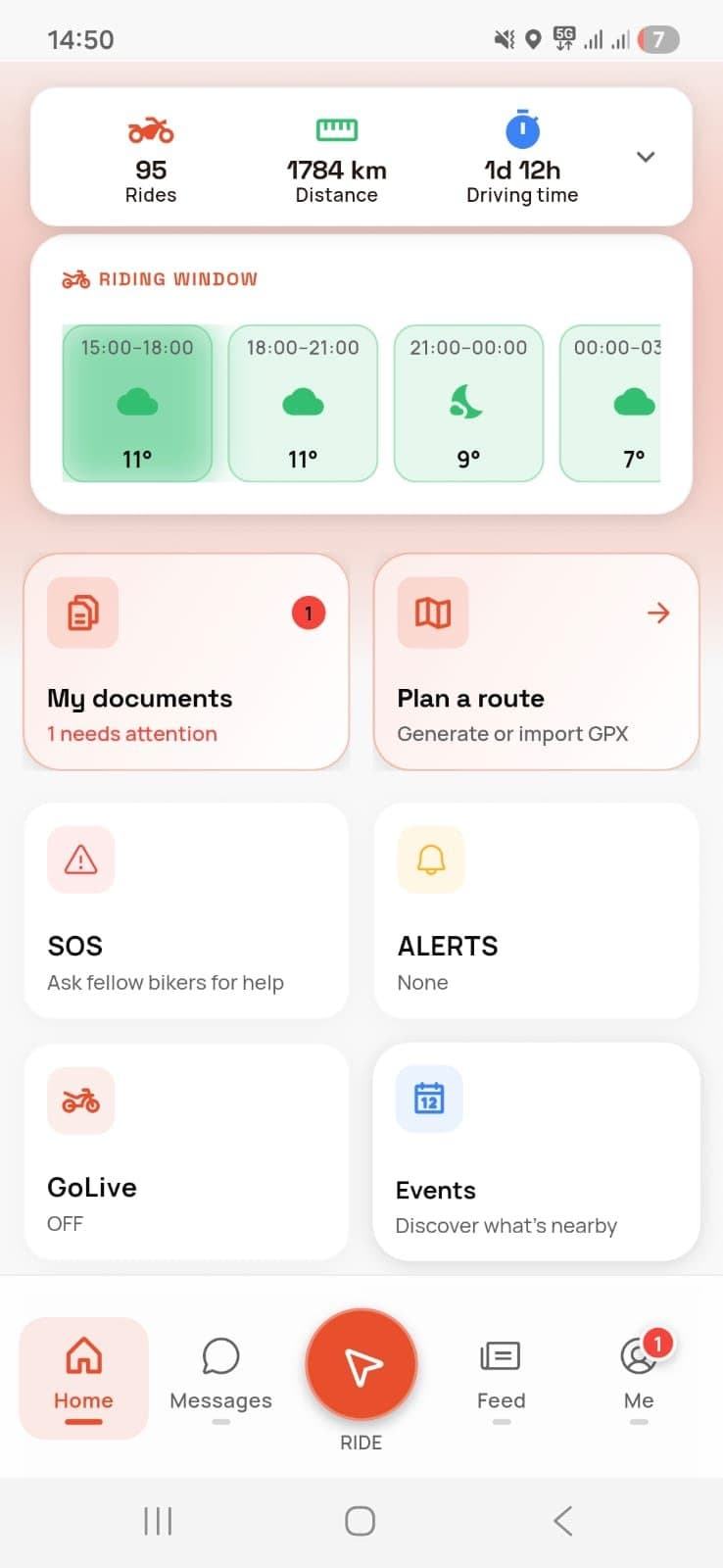
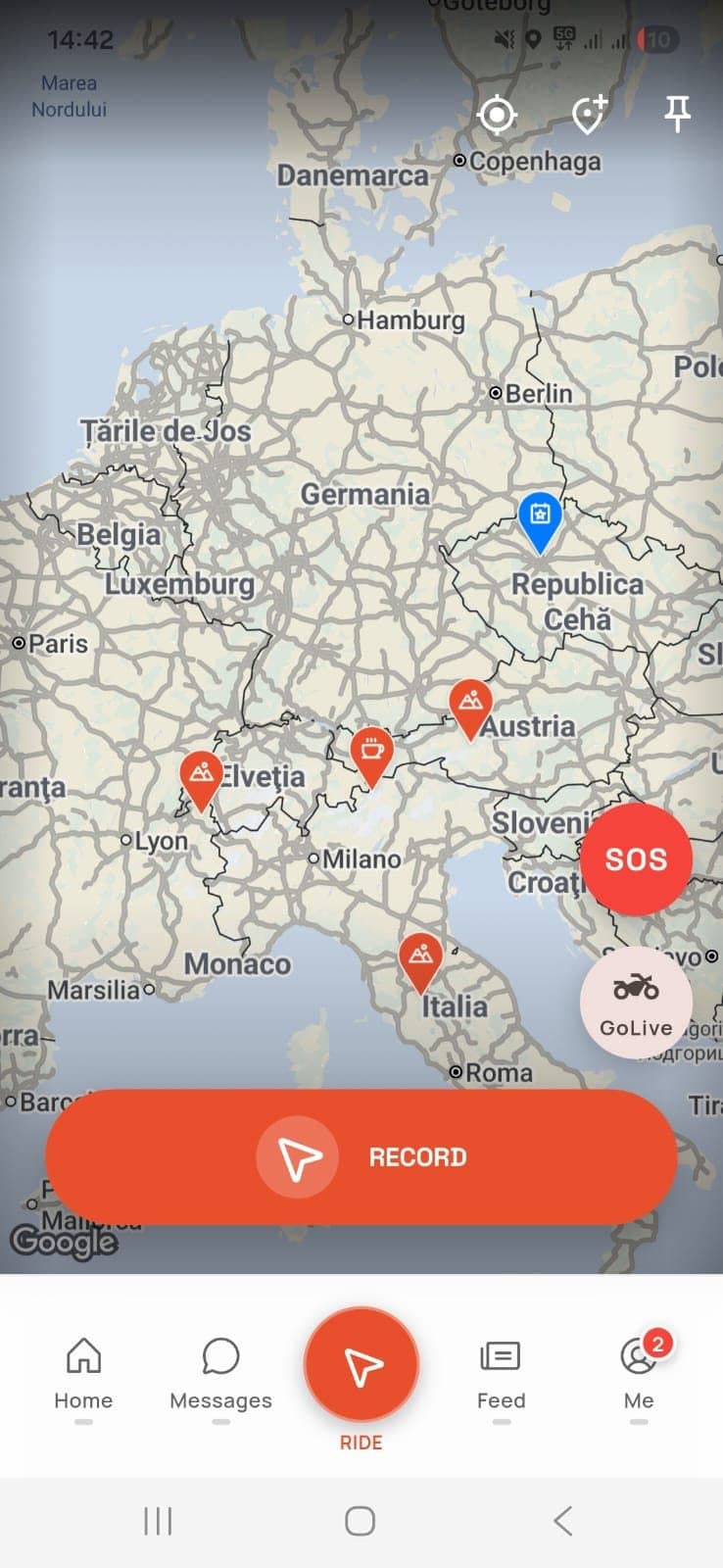
The button is on the home screen and on the map, so it's within reach during the ride too.
- 2
Pick the reason and who gets the alert
Accident, mechanical problem, medical emergency or lost. Your GPS location fills itself in, and you can add a few words, such as “ran out of fuel”. Then you choose: “Friends only”, “Friends + Clubs” or “Everyone”.
- 3
The alert goes out
The riders who get it see on the map where you are and what happened, and you can message each other in the app.
Four situations, picked from a list.
Because you pick the reason, the riders who get the alert know from the start what kind of help you need.
Accident
You've come off or been hit. If someone is hurt, call 112 first, then send the SOS so the riders nearby know where you are.
Mechanical problem
A puncture, the chain, a flat battery or an empty tank. Someone nearby may have the tool or the fuel can you need.
Medical emergency
You or someone in the group has been taken ill. Call 112; the SOS alerts the riders around you at the same time.
Lost
You've lost your way or got separated from the group. The others see you on the map and can guide you.
You choose who finds out.
When you send the alert, you choose who gets it. Your friends, and your club members if you include them, get it wherever they are; other riders only with “Everyone”, and only within 50 km of you. Each of them gets a push notification only if they have SOS alerts turned on in the app.
Friends only
Your friends in the app, wherever they are. They see on the map where you are and what happened.
Friends + Clubs
Your friends, plus the members of the clubs you belong to, wherever they are.
Everyone
Your friends and clubs, plus the riders within 50 km of you: those on GoLive nearby and those whose home base is in the area. The nearest can set off towards you straight away.
No one gets left behind.
On a group ride you all see each other live on the map. If someone falls behind or takes another road, the group notices straight away, not at the next stop.
- The SOS button is on the same map you follow the ride on.
- The meeting point, the time and who's coming live in the ride, not scattered across messages.
What the app doesn't do.
So you know what to expect before you need it.
It doesn't call 112
The SOS alerts riders and friends, not the ambulance or the police. If someone is hurt, you call 112.
It needs a signal
The alert, the map and the chat run over the internet, so your phone needs mobile data.
It doesn't detect a crash
You send the alert yourself, with one tap. The app doesn't notice on its own that you've come off, and sends nothing automatically.
It only sends a push to riders who turned alerts on
SOS alerts are off in the app until a rider turns them on in the notification settings. Riders who haven't, friends included, get no push notification: they only see your SOS if they open the app while the alert is still active. Ask yours to turn them on.
What to do before you set off.
Add your friends and join clubs. Then you can send the SOS only to people you know. Turn on SOS alerts in the app, and ask your friends to do the same.
Leave with your phone charged. The map and the GPS use battery; on long rides, take a power bank.
Start the ride in the app. Your route is recorded and the SOS is one tap away, on the same map.
Check your papers in the garage. Roadworthiness test and insurance up to date, with reminders before they expire.
In a group, settle everything in the app. The meeting point, the time and who's coming, so no one gets left behind.
Tell someone where you're going. Especially if you ride alone: the app can't tell if you've come off, and only riders with SOS alerts turned on get a push notification.
How does the SOS button work?
When you tap SOS, the app picks up your GPS location automatically and asks for the reason (accident, mechanical problem, medical emergency or lost) and who the alert should reach: “Friends only”, “Friends + Clubs” or “Everyone”, which adds riders within 50 km. Riders who have SOS alerts turned on get a push notification.
Does the app know if I've crashed?
No. You send the alert yourself, with one tap on the SOS button. That's why, when you ride alone, it's a good idea to tell someone where you're going.
Do my friends in another town get the alert?
Yes. Your friends get it wherever they are, whichever option you choose, and so do your club members with “Friends + Clubs” or “Everyone”. The 50 km limit only applies to the other riders, with “Everyone”. Each of them gets a push notification only if they have SOS alerts turned on in the app.
What should I do if someone is hurt?
Call 112 (or your local emergency number) before anything else. Then send the SOS, so the riders in the area and your friends know where you are.
Do I need an internet connection?
Yes. The alert, the map, GoLive and the chat run over the internet, so you need mobile data.
Does the SOS cost anything?
No. Riders4Life is free, SOS included.
Your next ride starts with one tap.
Download Riders4Life for free and see who else is out riding near you.
 iPhone
 Android